What McDonald’s Kiosks Teach Restaurants About Speed, Accuracy, and Higher Sales
Wiki Article
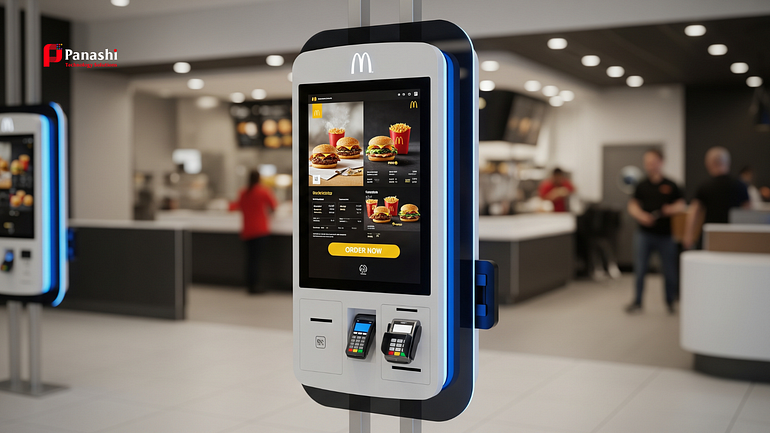
McDonald’s self-order kiosks matter not because McDonald’s is a global brand, but because the system behind the kiosks works at scale. Restaurants of any size — small cafés, fast casual chains, food courts, and busy dine-in spots — face the same daily problems: long lines during rush hours, order mistakes, stressed staff, and limited upselling at the counter. Kiosks address these pain points in a practical way.
This is not about copying McDonald’s branding or menu size. It is about copying the operating model: faster ordering, fewer errors, higher average check value, and smoother customer flow. McDonald’s uses kiosks to reduce friction between a customer’s decision and payment, while freeing staff to focus on food quality and service. For restaurant owners, the real takeaway is simple: when kiosks are designed and placed correctly, they improve efficiency and customer experience at the same time.
Why McDonald’s Kiosks Work So Well (and What Most Restaurants Miss)
McDonald’s kiosks succeed because they are not treated as standalone machines. They are built into the entire restaurant flow — menu design, kitchen timing, pickup process, and staff roles. Many restaurants fail because they add kiosks without changing how the rest of the operation works.
During a lunch rush, McDonald’s does not rely on one or two cashiers to handle dozens of orders. Customers move directly to kiosks, place orders at their own pace, and pay immediately. This removes pressure from the counter and keeps lines moving. The kitchen receives clearer digital orders, which reduces confusion and remakes. The result is faster service with fewer mistakes, even when staffing is tight and space is limited.
They Reduce Order Friction, Not Just Labor
The biggest advantage of kiosks is reduced friction, not staff replacement. McDonald’s kiosks shorten the path from decision to payment by using a clear menu layout, strong visuals, and simple customization. Customers can browse, edit, and confirm orders without feeling rushed by a line behind them.
Instead of taking orders, staff are reassigned to higher-value tasks: running food, handling special requests, fixing issues, and greeting guests. This shift reduces bottlenecks at the counter and creates a smoother flow across the restaurant. Fewer verbal misunderstandings mean fewer wrong orders, which saves time and food costs.
The real win is operational balance. Orders come in steadily instead of all at once, and staff energy is spent where it matters most — service and speed.
They Increase Average Check With Built-In Upsells That Feel Helpful
McDonald’s kiosks consistently increase average order value through smart, ethical upselling. Prompts like “Make it a meal,” “Add fries,” “Upgrade the size,” or “Try a limited-time item” appear at the right moment, without pressure.
Because the upsell is presented visually and clearly priced, customers feel in control. There is no awkward conversation or fear of slowing the line. This leads to higher acceptance rates compared to cashier-led upselling.
To do this ethically, restaurants should keep add-ons relevant, show prices clearly, and avoid confusing language. When upsells feel helpful rather than pushy, customers spend more and leave satisfied.
How to Adapt the Kiosk Model to Your Restaurant Without Losing Hospitality
Kiosks work best when they are adapted to your space, menu, and customer behavior. A good setup improves hospitality instead of replacing it. The key is starting small, testing, and adjusting based on real feedback.
Start With the Right Service Flow for Your Space (Counter, Pickup, Table Service)
First, decide how kiosks fit into your existing flow. Common models include kiosk with counter pickup, kiosk with runners, kiosk with QR table numbers, or a hybrid setup with both cashier and kiosks.
As a rule of thumb, place kiosks near the entrance but out of walking paths. Start with one or two kiosks for small locations and add more only after measuring usage. Keep pickup shelves clearly labeled and separated by order number or name to avoid crowding and confusion during peak times.
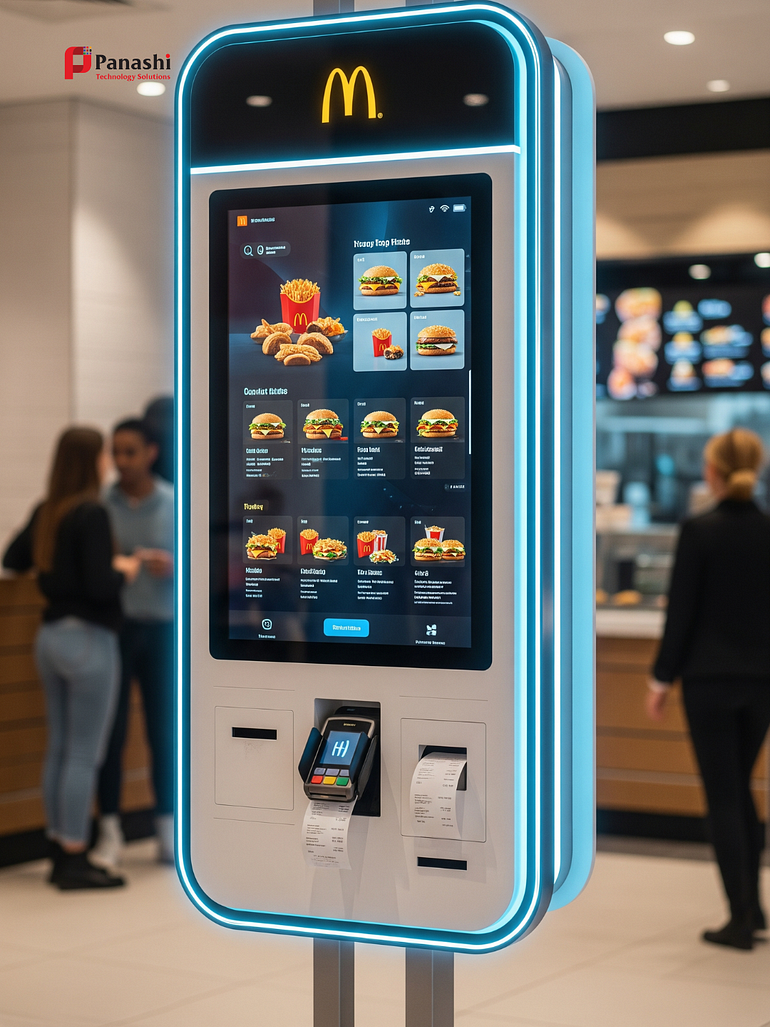
Design a Kiosk Menu That Is Easy, Fast, and Not Overwhelming
McDonald’s menus are designed for speed. Categories are simple, best sellers are highlighted, and deep customization is limited. This keeps ordering fast, even for first-time users.
Avoid adding every possible option. Too many choices slow people down and create longer queues.
Train Staff to Be “Kiosk Helpers” and Protect the Human Touch
Successful kiosk restaurants still feel welcoming. McDonald’s often has a staff member guiding customers during busy hours, helping first-time users, and answering questions.
Train your team to assist without taking over. Keep one staffed lane during peak times for cash payments, older guests, and complex orders. This protects inclusivity while encouraging kiosk adoption. Hospitality comes from people, not machines, and kiosks should support — not replace — that connection.
Metrics to Track and Common Mistakes to Avoid With Self-Order Kiosks
Installing kiosks without tracking results leads to poor decisions. The first 30 to 60 days are critical for measuring success and fixing problems early.
What to Measure: Speed, Accuracy, Sales Lift, and Guest Adoption
Track key metrics such as average ticket size, order time, line length during peak hours, percentage of orders placed via kiosks, remake or refund rate, and add-on attachment rate. Set a baseline before launch and compare weekly results.
Use quick feedback tools like receipt surveys, staff notes, and online review trends. These insights show where customers struggle and what to improve.
Avoid These Problems: Poor Placement, Confusing Menus, and “No Help” Vibes
Common mistakes include kiosks blocking traffic, too many ordering steps, spam-like upsells, low-quality photos, broken printers, and unclear pickup instructions. A simple checklist helps: clear signage, good lighting, stable internet, clean screens, and a visible “Need help?” option.
Fixing these basics often delivers quick performance gains without extra cost.
Conclusion
McDonald’s success with kiosks comes from treating them as part of a complete system, not a gadget. Menu design, service flow, smart prompts, and staff support all work together. Restaurants that copy this system — rather than just installing machines — see faster service, higher sales, and better customer experiences.
The best way to start is small. Identify your biggest bottleneck, make one focused change, and measure results for 30 days. With the right approach, kiosks can improve efficiency without sacrificing hospitality.
Frequently Asked Questions (FAQs)
Do self-order kiosks work for small restaurants?
Yes. When implemented with the right flow and a simplified menu, kiosks work well even in small spaces.
Will kiosks replace staff?
No. Kiosks shift staff from taking orders to higher-value tasks like service, food delivery, and problem solving.
How many kiosks should a restaurant start with?
Most small to mid-size restaurants should start with one or two kiosks and expand based on usage data.
Do kiosks really increase average order value?
Yes. Clear visuals and well-timed upsell prompts consistently increase ticket size without pressure.
What is the biggest mistake restaurants make with kiosks?
Treating kiosks as standalone machines instead of integrating them into menu design, flow, and staff training.